

Connected deadbolt family
Yale Assure Lock 2
Configurations differ by connectivity, keypad and backup entry. Choose the variant that supports the platform and method of entry that the household will actually use.
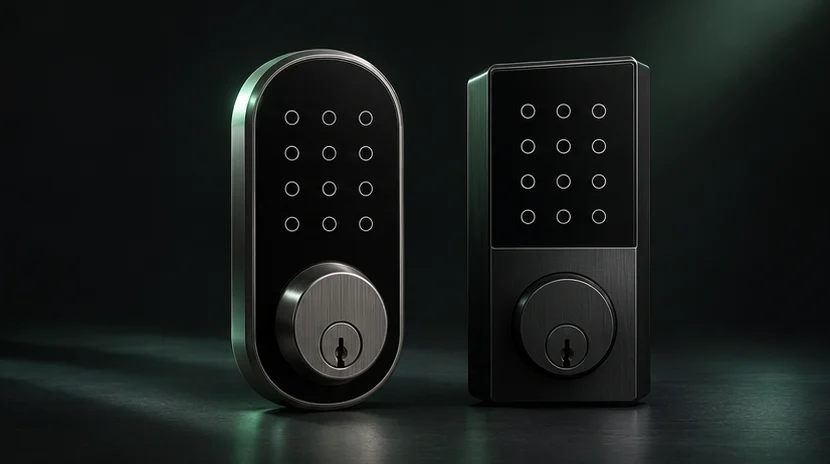
Compare a straightforward keypad, a connected smart deadbolt and options for guest access.
651-728-6900Start with who enters the home and what they carry. For one household it is faster to use a keypad code. For another, a connected lock helps manage access for a pet sitter from a phone. Choose the access method, backup and fit together so the technology solves a specific problem.
A keypad can make handing off access easier at a house, condo or small rental. Start with the door you want to use. A latch that only works when you push hard against the weather seal should be checked before you buy a motorized lock. Ask which features of a given model will work with your phone, network and backup access.
Confirm how to add and remove a code at the lock, what happens when the battery runs low and what backup entry the exact model offers.
Check signal strength at the door and how the specific variant connects. Ask about hubs and which operations remain available during an internet outage.
Verify phone, account and fingerprint support for the chosen variant. Give each resident a practical backup that works with the way they enter.
Configurations differ by connectivity, keypad and backup entry. Choose the variant that supports the platform and method of entry that the household will actually use.
Consider it for households interested in connected access and compatible Apple home features. Confirm supported devices and Wi-Fi conditions at the door before planning installation.
Halo comes in multiple configurations. Check the exact model for its keypad, keyway and network requirements, and decide which users should have codes rather than app access.
Consider a basic keypad when guests need a code and you prefer local operation. Go over the mechanical backup and the door fit in advance.
An option when several households or residents need easy day-to-day access. Confirm fingerprint, app, keypad and emergency entry expectations for the specific installation.
Check for supported integrations, any required accessories and the actual front-door preparation. Ask who will own the account if the property changes hands.
A simpler way to share codes at a supported exterior opening. Check which finish and mechanical key option are compatible with the rest of the house.
Call to confirm the model, fit and current availability.
Measure the door thickness and check the existing holes, strike and frame. If the bolt only moves freely while the door is open, bring up alignment before selecting the equipment. Condo and rental doors may need prior approval.
Pick a backup way to get in when a phone is dead or a battery runs low. Ask how individual codes are managed and who can remove a guest without changing everyone else’s access.
Keep ownership of the account with the people responsible for the property. At a tenant turnover, confirm what happens to the prior user, guest codes and mechanical keys.
The bolt should move cleanly with the door open and closed. In Minneapolis, a side entry with a thick winter seal or a drafty frame may change how the bolt reaches the strike. Check that the inside electronics will clear trim and that the exterior housing fits behind any storm door. Get property authorization for a shared or rented building.
When several people live in a home, set individual access where supported and agree who can add or remove a guest. In a managed property, make the building contact responsible for the account and handoff. Keep any backup keys somewhere accessible to the intended user, away from the entry itself.
Residential Locksmith · Schlage smart lock comparison · More product categories
It depends on the variant and feature. A local keypad can work without remote connectivity. Ask which functions need Wi-Fi or a separate accessory.
Compare the mechanical cylinder and keyway for the exact product. Some models have a physical override and others use another method for backup access.
Check alignment separately. A motorized bolt needs a clear path through the strike, and a new lock may still bind against a misaligned frame.
We can start with the type of door or system you have and what needs to change.